

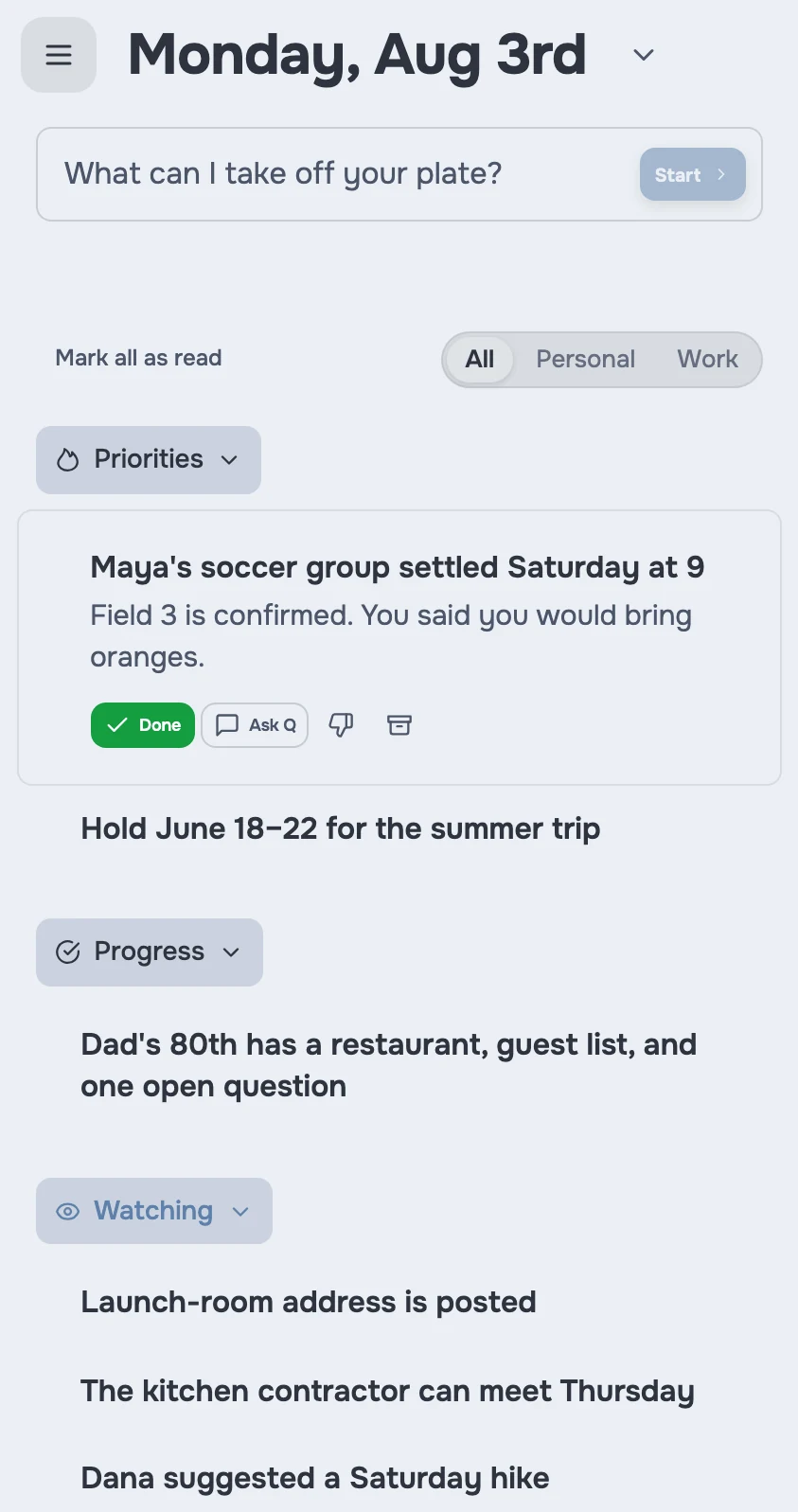
What is a daily briefing from jo?
Every morning, jo reads your calendar, your new email, your messages, and your reminders, and writes you a short briefing: today's schedule, what needs a decision, and what you committed to that's due. Work and home on the same page, because that's how your day actually is.
Three mornings
"What actually needs me today?"
Ranked · from everything you've connected. The schedule, the two emails that need decisions, and the figures due Friday. The three things that matter come first; the rest waits below.
"Alex's birthday dinner is at 7. My 4pm always runs over."
Flagged · from Calendar + Messages. The briefing puts the squeeze in front of you at 8am, when it's fixable — not at 6:45pm, when it isn't.
"When did I actually last talk to Dana?"
Nudged · from Messages. Saturday's briefing includes Dana, with the thread you left off on. Friendships shouldn't fade by accident.
Gets better as jo learns each night
Day one. Your schedule and urgent email, each morning.
2 weeks in. You've told jo "less of this, more of that" a few times, and the briefing shows it.
3 months in. Commitments you made anywhere show up on the right morning, not the morning after.
Set up once, use everywhere
Email and calendar connect from any browser. Messages and reminders connect through the jo app on your Mac. The briefing reaches you wherever you want it: the Mac app, the web, Telegram, or WhatsApp.
You stay in control
The briefing contains only what you connected, and you set when it arrives. When it gets something wrong, just tell it — "do less of this" — and it adjusts.
The briefing is where everything else meets: your email, your calendar, your group chats, and your tasks, on one page each morning.
Try jo free for 7 days. No credit card. Mac and web.