
What can jo do with your calendar?
jo reads your calendars — Google Calendar and Apple Calendar — next to your email and messages. Your calendar already warns you when two events collide; jo starts where that ends, with the conflicts that live outside the calendar: the plan in a text, the appointment in an email, the meeting with no travel time between it and the next one.
Three conflicts that never happened
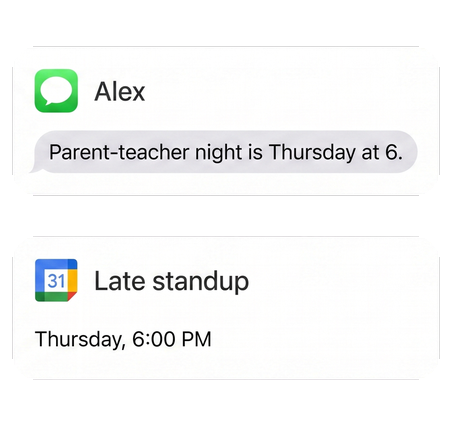
"Alex just texted — parent-teacher night is Thursday. So is my late standup."
Conflict caught · from Messages → Calendar. This conflict lived in a text message, so no calendar could see it. jo reads both, proposed moving the standup, and drafted the note to your team.


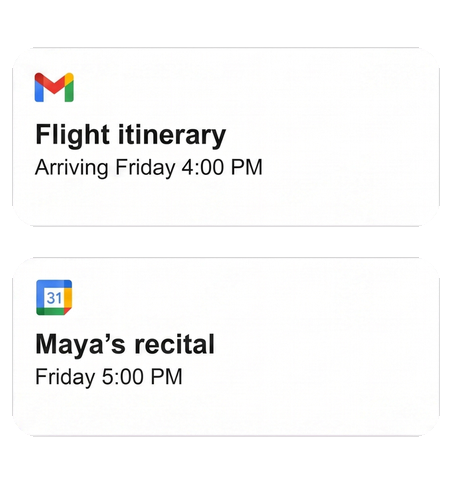
"Mom and Dad land at 4 on Friday. Maya's recital starts at 5."
Caught early · from Email + Calendar. The flight lived in an itinerary email and the recital on the family calendar. jo put them side by side on Monday — while there was still a week to plan around it.

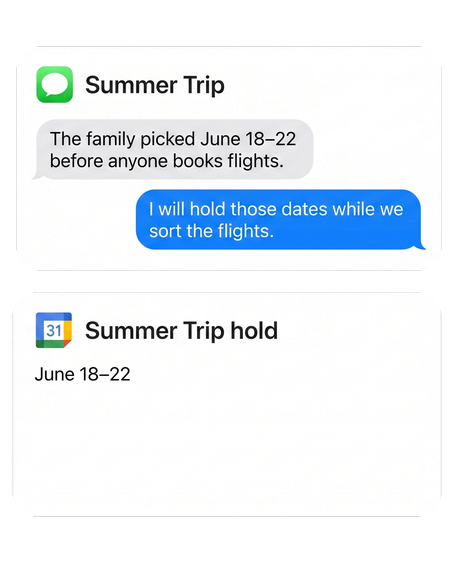
"The trip is booked. Nobody told the dog."
Trip prepared · from Calendar → Tasks. jo noticed the trip overlaps Biscuit's care and put "book boarding" on your list, with time to spare.

Gets better as jo learns each night
Day one. Conflicts and missing travel time on this week's calendar get flagged.
2 weeks in. jo knows your travel times, your meeting habits, and the hours you protect.
3 months in. Plans made anywhere — an email, a group chat — reach your calendar without you entering them, and the time you protect stays protected.
Set up once, use everywhere
Google Calendar connects from any browser. Apple Calendar and Messages connect through the jo app on your Mac. After that, your schedule is available wherever you talk to jo: the Mac app, the web, Telegram, or WhatsApp.
You stay in control
Read access and write access are separate choices, and jo never creates, moves, or deletes an event without your approval. And when jo gets something wrong, just tell it — "do less of this" — and it adjusts.
Your calendar also feeds your meeting briefs and your morning briefing.
Try jo free for 7 days. No credit card. Mac and web.