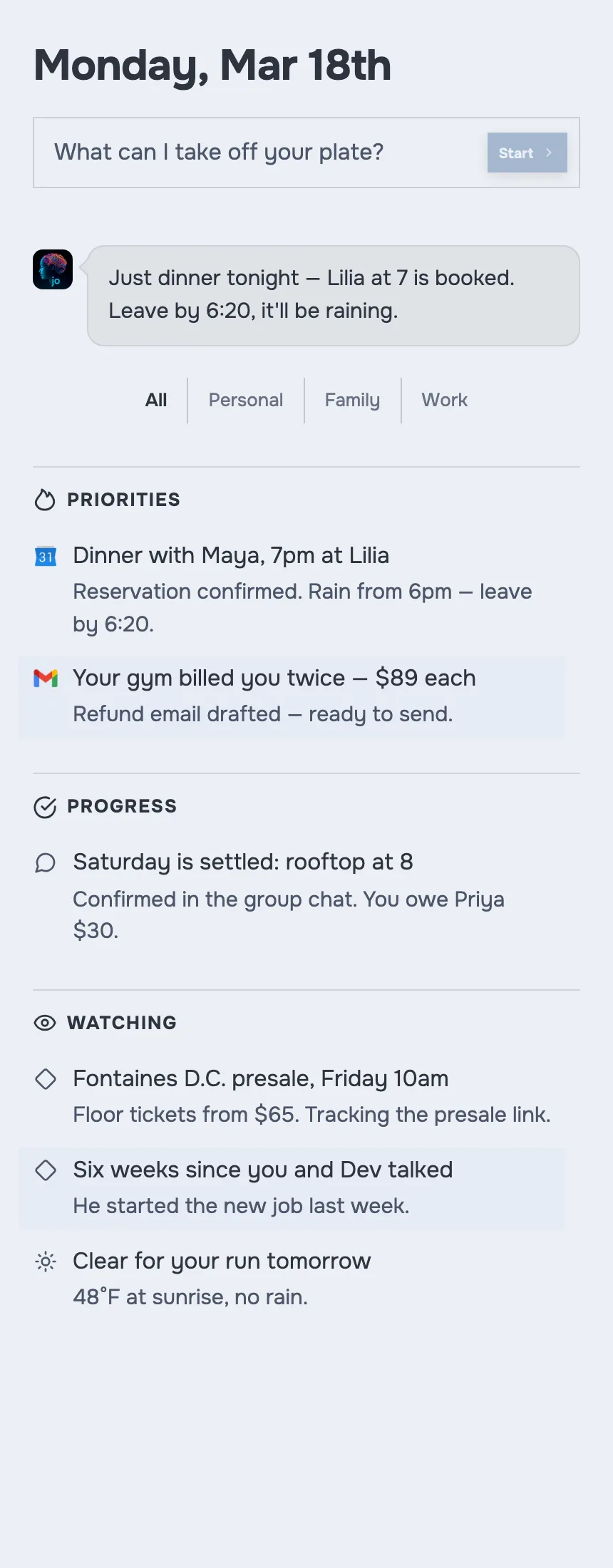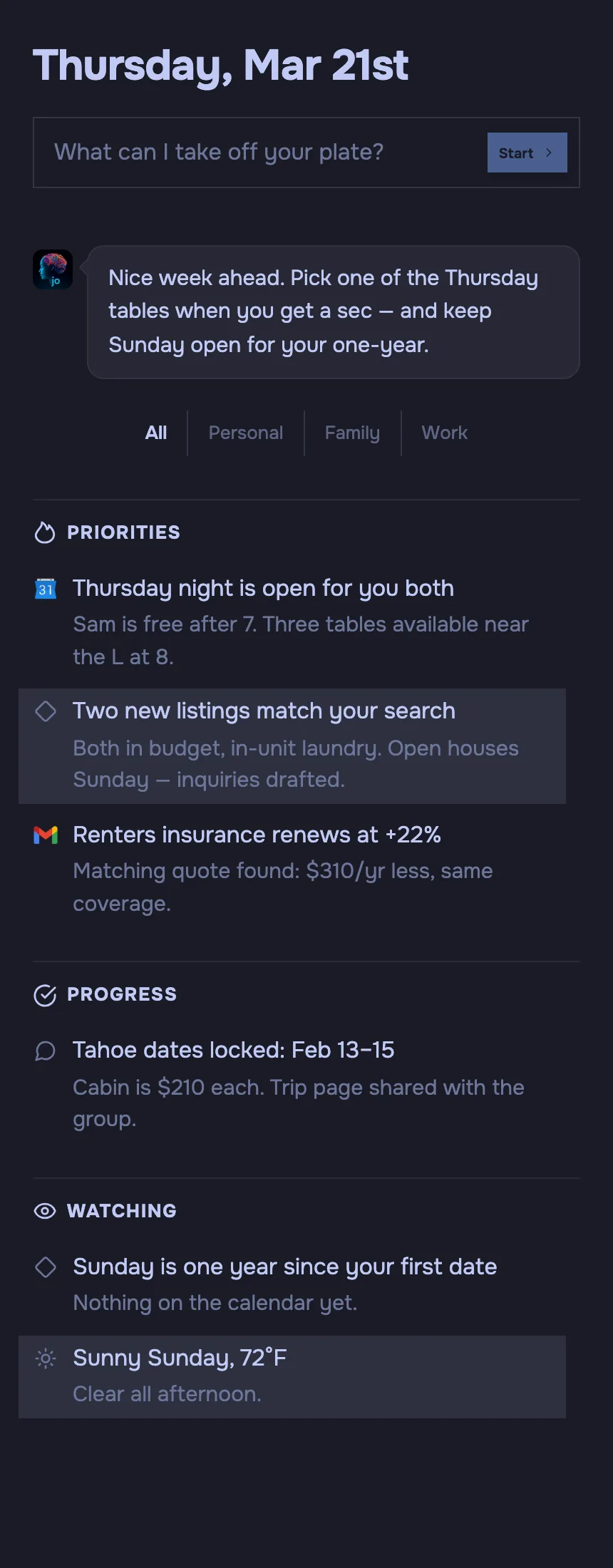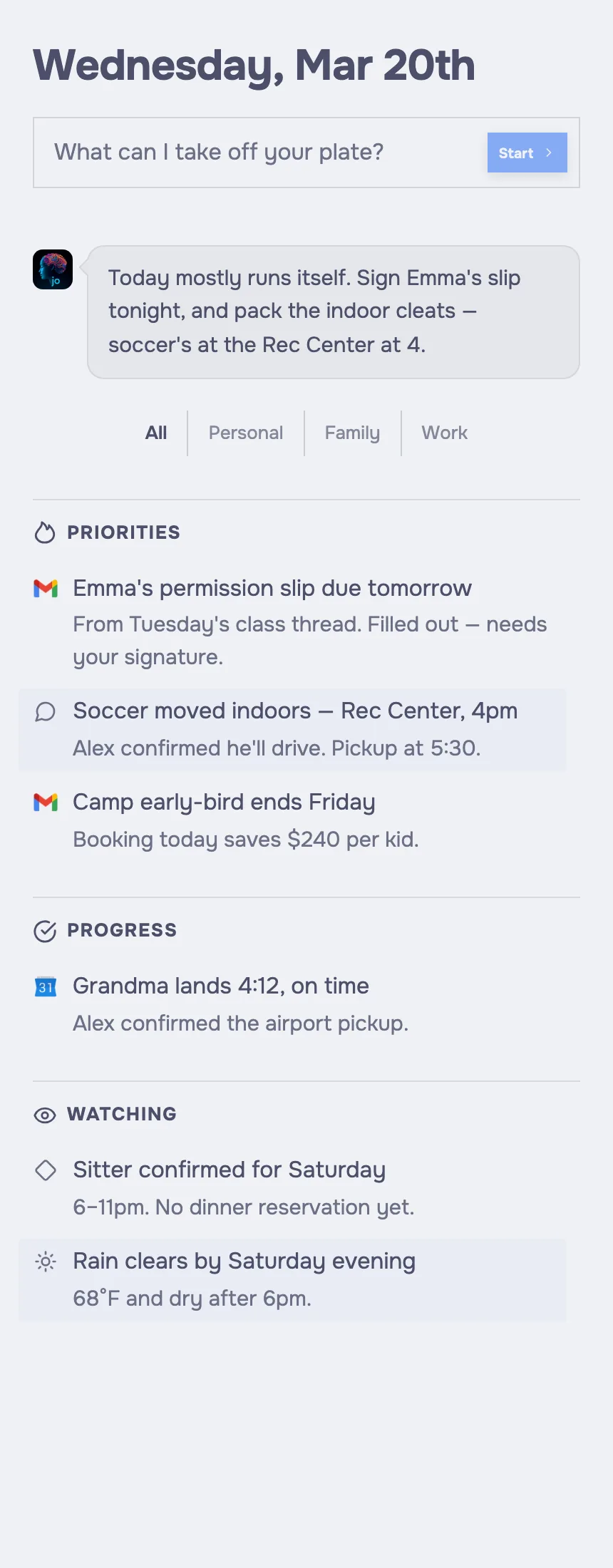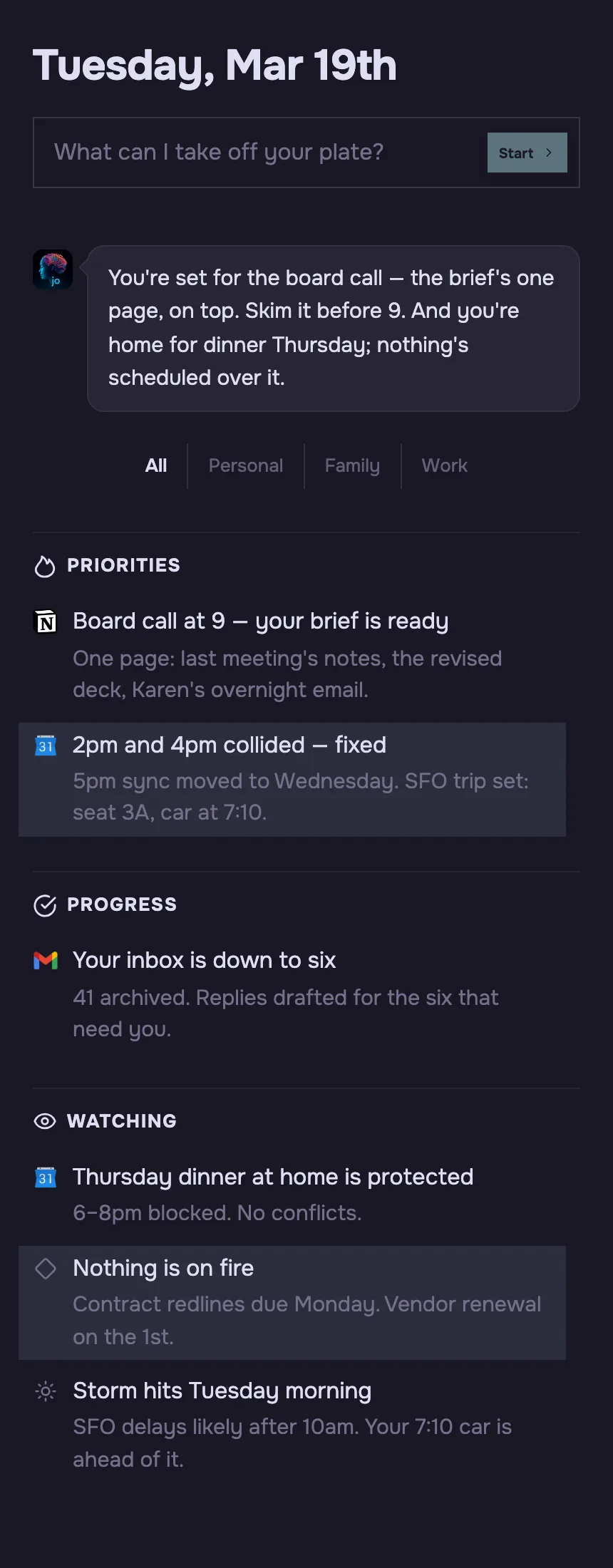
jo on macOS

jo vs ChatGPT

ChatGPT answers. jo handles it.

ChatGPT is a brilliant chat window. jo is a personal AI agent that reads your inbox, plans your day, and keeps your projects moving — overnight, on a machine that's yours alone.

Free on Apple Silicon Macs — also on Telegram, WhatsApp & email. No waitlist, no credit card.

The verdict

jo vs ChatGPT, in one line.

ChatGPT is the better choice for open-ended research, writing, and brainstorming in a single chat window. jo is a personal AI agent built to act across your real life — it runs on your own Mac and a private per-user cloud machine, works overnight through your email, calendar, and messages, and keeps long-running personal and family projects moving without being re-prompted.

jo vs ChatGPT, side by side.

Both use frontier AI models. The difference is what each one is built to do with them.

ChatGPT jo
Product type AI chat assistant you prompt Personal AI agent that acts for you
Where it runs OpenAI's cloud Your Apple Silicon Mac + a private per-user cloud machine
Works overnight, unprompted Preps tomorrow before you wake
Reads your inbox, calendar & messages On request, in agent mode Continuously, in the background
Where you talk to it Web, iOS & Android apps macOS, Telegram, WhatsApp & email
Keeps long-running personal projects moving Nudges you before loose ends pile up
Trains on your conversations By default on individual plans, unless you opt out Zero-data-retention model endpoints
Built for households One plan covers you + 4 family members
Pricing Free tier; paid individual plans (Go, Plus, Pro) $39/mo — 7-day full trial, no credit card
Best for Open-ended research, writing & brainstorming Running your real life and projects on autopilot

Sources: ChatGPT pricing and agent mode (chatgpt.com/pricing, chatgpt.com/features/agent); OpenAI data-training policy (openai.com/policies); jo pricing and platform details (askjo.ai).

Where each one is strong.

ChatGPT key strengths

  • Open-ended reasoning: ChatGPT is hard to beat for research, drafting, coding, and thinking out loud in a single chat window.
  • Model breadth: The GPT-5.5 family, voice, image generation, and deep research cover an enormous range of one-off tasks.
  • Instant, on any device: Web, iOS, and Android apps mean ChatGPT is everywhere the moment you have a question to ask.

jo key strengths

  • Runs on hardware you control: jo lives on your Apple Silicon Mac and a private per-user cloud machine — not a shared chat database.
  • Acts overnight, unprompted: jo watches the week and preps your day, so a morning brief is waiting before you ask for anything.
  • Lives where you already talk: Reach jo from macOS, Telegram, WhatsApp, or email — the same memory and access in every channel.
  • Private by default: jo uses zero-data-retention endpoints, so providers don't keep your prompts or train on your data.
  • Keeps real projects moving: jo holds long-running personal and family threads warm and nudges you at the right moment.
  • Built for the whole household: One $39/mo plan covers you plus four other family members.

What that means in practice.

Four places the jo and ChatGPT experience diverge once you actually live with them.

Answering vs. acting

ChatGPT answers what you ask, then waits for the next prompt. jo turns intent into action — drafting replies, moving projects, and following up across the apps you already use, then reporting back.

Reactive vs. proactive

ChatGPT runs when you open it. jo runs while you sleep, watching the week and preparing the day so your morning brief is ready before you reach for your phone.

Shared cloud vs. your own machine

ChatGPT runs on OpenAI's infrastructure. jo runs on your Mac and a private per-user cloud machine, so your raw messages, notes, and photos can stay on your device.

Session memory vs. life memory

ChatGPT remembers within its memory feature. jo is built around long-running memory of your people, projects, and routines, so it picks up loose ends instead of starting over.

Which should you use?

Choose ChatGPT if

  • You mainly want a chat window for research, writing, and brainstorming.
  • You want the widest range of one-off AI tasks: drafting, coding, images, deep research.
  • You're comfortable opting out of training and keeping your data in a shared cloud.

Choose jo if

  • You want an agent that handles your day, not a window you have to open.
  • You want email, calendar, and messages watched and prepped overnight.
  • You want your data on your own Mac and a private machine, private by default.
  • You want long-running personal and family projects kept moving.
  • You want one assistant the whole household can use.

Questions, answered.

Is jo better than ChatGPT?

jo and ChatGPT solve different problems. ChatGPT is better for open-ended research, writing, and brainstorming. jo is better when you want a personal AI agent that takes action across your email, calendar, and messages and runs on your own machine.

What is the difference between jo and ChatGPT?

ChatGPT is an AI chat assistant you prompt in a window. jo is a personal AI agent that runs on your Apple Silicon Mac and a private cloud machine, works overnight, and acts across the apps you already use.

Is jo cheaper than ChatGPT?

jo costs $39/mo and covers you plus four family members. ChatGPT has a free tier and paid individual plans priced per user. For a household, one jo plan can replace several individual ChatGPT subscriptions.

Can jo replace ChatGPT?

For running your daily life, jo can replace how most people use ChatGPT, and it talks to Claude, ChatGPT, Gemini, Grok, and Kimi under the hood. For heavy open-ended chat, research, and content generation, many people keep ChatGPT alongside jo.

Does jo use ChatGPT?

Yes. jo connects to leading models including ChatGPT, Claude, Gemini, Grok, and Kimi through zero-data-retention endpoints, so you pick the model you trust while jo handles the actions and memory around it.

Who should use ChatGPT instead of jo?

Choose ChatGPT instead of jo if you mainly want a chat window for research, writing, coding, and brainstorming, and you don't need an agent that watches your inbox, calendar, and messages or runs on your own machine.

Start now.

Download jo, connect your apps, and get your first morning brief tomorrow.

No waitlist. No credit card required to start.
7 day full trial, then $39/mo for you plus 4 other family members.