OpenClaw is the better fit when you want full control: it's open-source and MIT-licensed, runs on hardware you own, connects to the models and channels you choose, and has a deep community of skills. You host it, supply your own keys, and maintain it. jo is built for people who just want the outcome — a managed agent that works overnight out of the box, reads your email, calendar, and messages, and runs your real life without you hosting or wiring up anything.
The verdict
jo vs OpenClaw, in one line.
jo vs OpenClaw, side by side.
Both are personal AI agents that take action, not just chat — the difference is whether you run it yourself or it runs for you.
| OpenClaw | jo | |
|---|---|---|
| Product type | Open-source, self-hosted personal AI assistant (MIT-licensed) | Personal AI agent that acts for you |
| Where it runs | Your own machine or server — macOS, Windows, Linux, or a VPS you set up | Your Apple Silicon Mac + a private per-user cloud machine |
| Works overnight, unprompted | ✓runs 24/7 once you configure the daemon and scheduled tasks yourself | ✓Preps tomorrow before you wake |
| Reads your inbox, calendar & messages | ✓after you connect the accounts, keys, and skills yourself | ✓Continuously, in the background |
| Where you talk to it | Chat apps you connect — WhatsApp, Telegram, Discord, Slack, Signal, iMessage and more | macOS, Telegram, WhatsApp & email |
| Keeps long-running personal projects moving | ✓with a file-based memory you maintain and skills you wire up | ✓Nudges you before loose ends pile up |
| Trains on your conversations | —depends on the model and endpoints you choose to connect | —Zero-data-retention model endpoints |
| Built for households | —designed as a single-user assistant | ✓One plan covers you + 4 family members |
| Pricing | Free and open-source to license; you pay for hosting, your own model API or subscription, and your setup time | $39/mo — 7-day full trial, no credit card |
| Best for | Developers who want full control and self-hosting | Running your real life and projects on autopilot |
Last updated June 2026. Sources: OpenClaw (openclaw.ai, github.com/openclaw/openclaw, docs.openclaw.ai); jo (askjo.ai). Figures and license per OpenClaw's official site and repository as of June 2026.
Where each one is strong.
OpenClaw key strengths
- Full control and transparency: OpenClaw is MIT-licensed open source, so you can read the code, change behavior, and run it on hardware you own with no vendor in the loop.
- No subscription to license it: The software itself is free; you bring your own model keys or subscription and host it wherever you like.
- Choose your own models and channels: It connects to Claude, GPT, and local models, and answers on 24+ chat apps including WhatsApp, Telegram, Discord, and Signal.
- A large community ecosystem: Thousands of community-built skills and hundreds of contributors mean a wide and growing library of things it can do.
jo key strengths
- Runs on hardware you control: jo lives on your Apple Silicon Mac and a private per-user cloud machine — not a shared chat database.
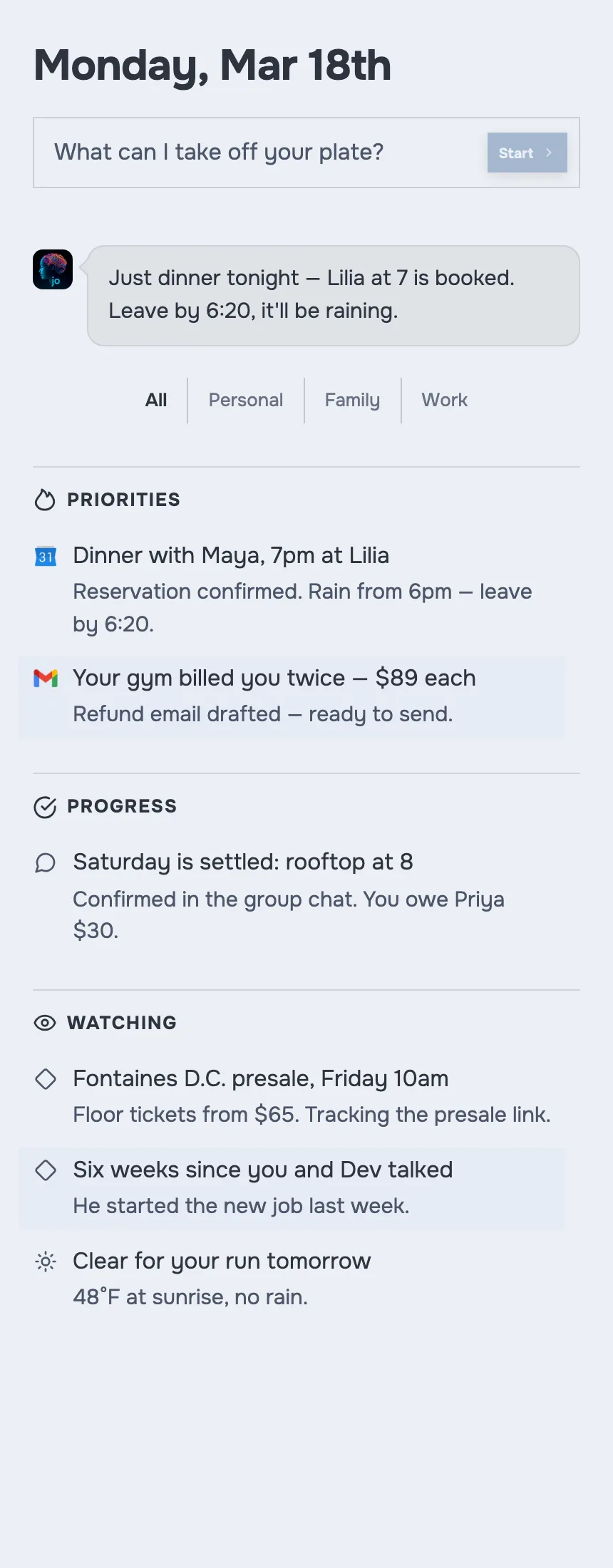
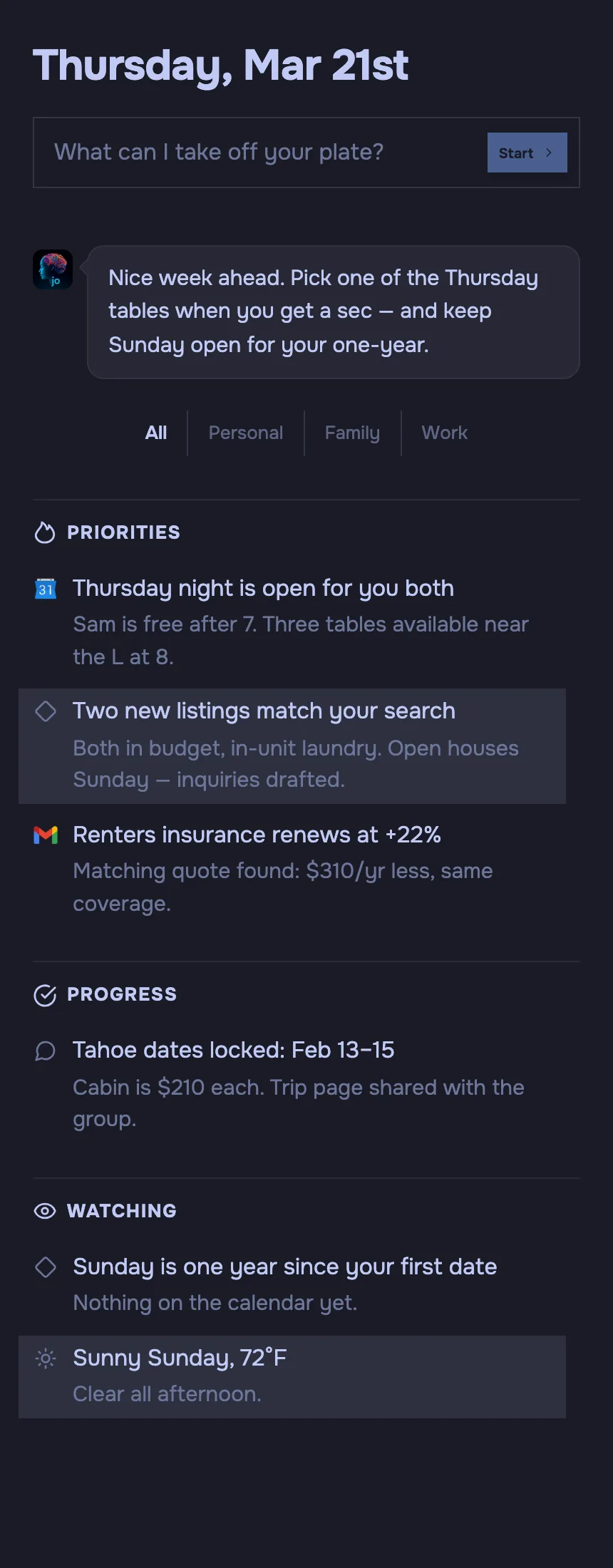
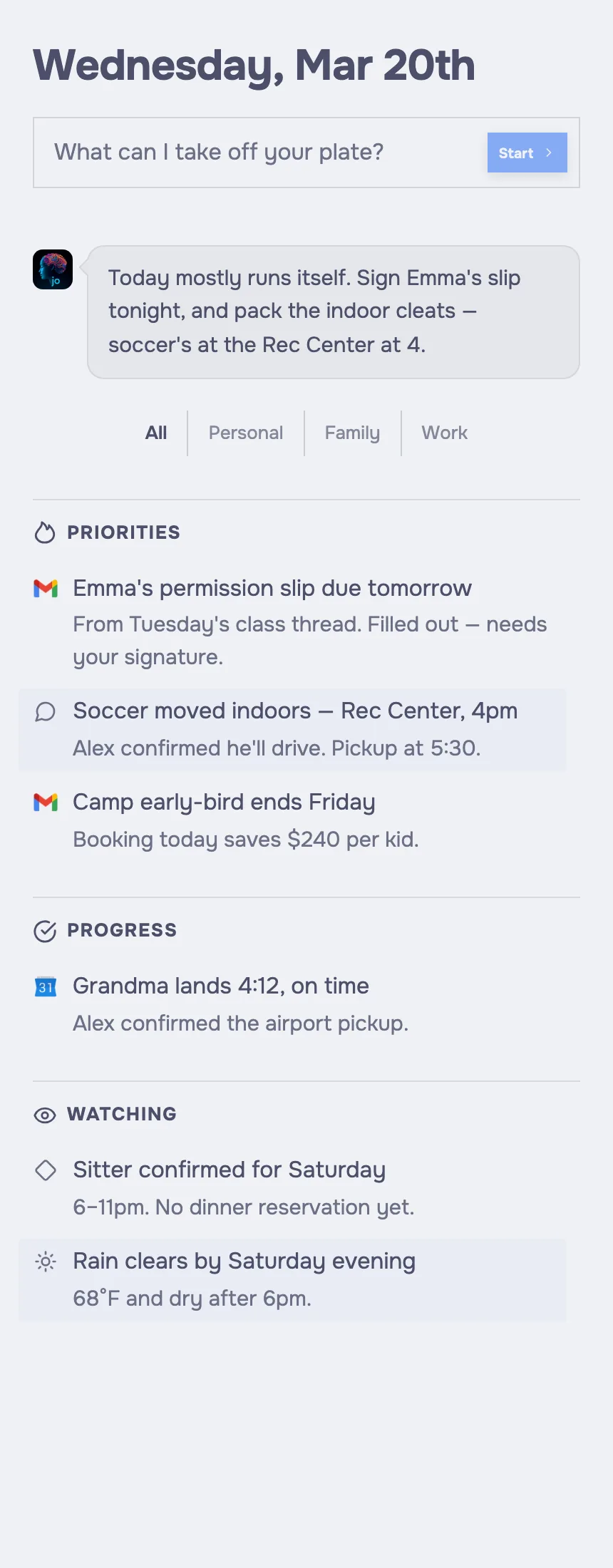
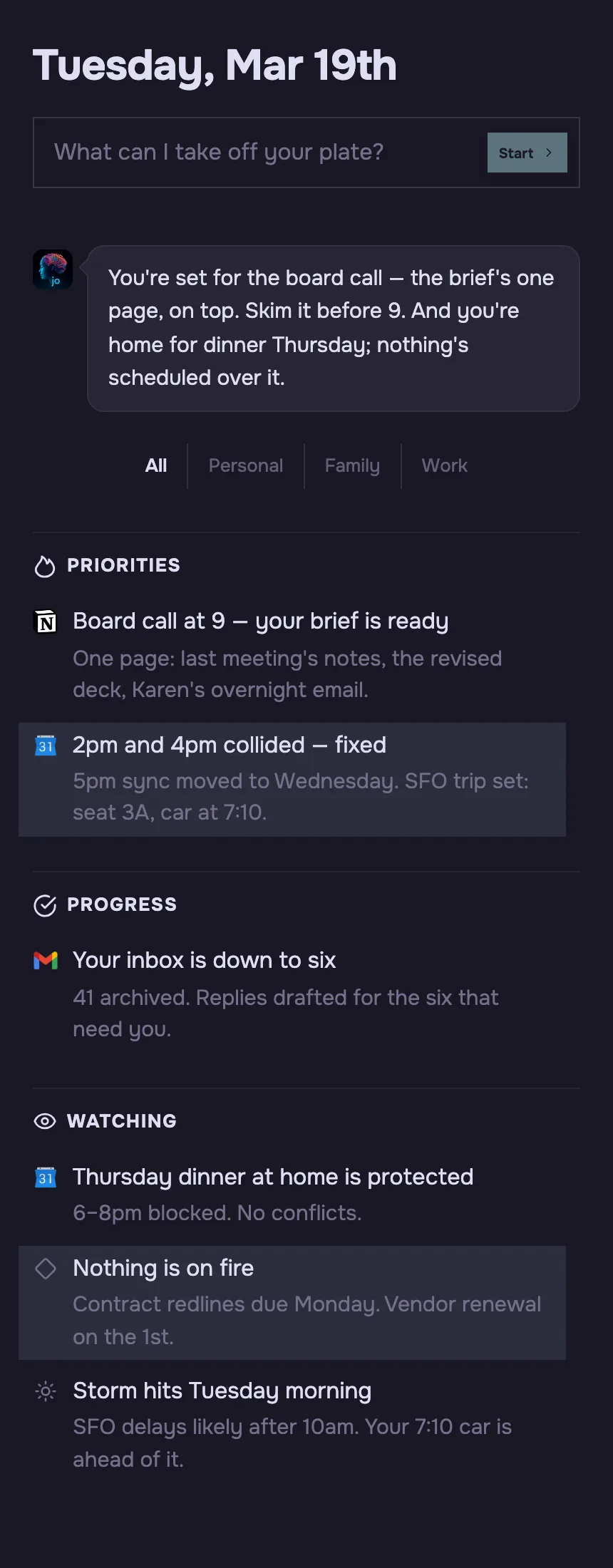
- Acts overnight, unprompted: jo watches the week and preps your day, so a morning brief is waiting before you ask for anything.
- Lives where you already talk: Reach jo from macOS, Telegram, WhatsApp, or email — the same memory and access in every channel.
- Private by default: jo uses zero-data-retention endpoints, so providers don't keep your prompts or train on your data.
- Keeps real projects moving: jo holds long-running personal and family threads warm and nudges you at the right moment.
- Built for the whole household: One $39/mo plan covers you plus four other family members.
What that means in practice.
Four places the jo and OpenClaw experience diverge once you actually live with them.
Self-hosted vs fully managed
OpenClaw runs on a machine you own and maintain — you install the daemon, supply API keys, and keep it updated. jo is fully managed: it runs on your Apple Silicon Mac plus a private cloud machine that's yours alone, with nothing for you to host or patch.
Setup you build vs setup in minutes
With OpenClaw you wire up channels, models, and skills yourself before it does much. jo is set up in minutes with a 7-day full trial and no credit card, and starts reading your inbox, calendar, and messages without you assembling the pieces.
Configure it vs it works overnight
OpenClaw can run 24/7, but the schedules and automations are yours to design. jo works overnight unprompted by default — it reads your email, calendar, and messages in the background and writes a morning brief that's ready before you wake.
Single-user tool vs built for a household
OpenClaw is designed as a single-user assistant for one technical owner. jo's $39/mo plan covers you plus four family members, so a whole household runs on it without each person standing up their own server.
Which should you use?
Choose OpenClaw if
- You're a developer who wants to read, modify, and fully control the agent's code.
- You want to self-host on your own hardware and keep raw data entirely under your roof.
- You'd rather bring your own model keys and avoid a product subscription, and don't mind doing the setup and maintenance.
- You want to pick your own models and tap a large open-source skill ecosystem.
Choose jo if
- You want an agent that handles your day, not a window you have to open.
- You want email, calendar, and messages watched and prepped overnight.
- You want your data on your own Mac and a private machine, private by default.
- You want long-running personal and family projects kept moving.
- You want one assistant the whole household can use.
Questions, answered.
Is jo better than OpenClaw?
Neither is strictly better — they're built for different people. OpenClaw is better if you want open-source control and will host and maintain it yourself. jo is better if you want a managed agent that works overnight out of the box, reads your inbox and calendar, and runs your real life with no setup beyond a few minutes.
What is the difference between jo and OpenClaw?
OpenClaw is open-source software you install, self-host, and configure on your own machine, supplying your own model keys. jo is a managed personal AI agent that runs on your Mac plus a private cloud machine that's yours alone. With OpenClaw you run it yourself; with jo, it runs for you.
Is jo cheaper than OpenClaw?
It depends on how you count. OpenClaw is free to license, but you pay for hosting, your own model API or subscription, and the time to set it up and maintain it. jo is $39/mo after a 7-day full trial, with no credit card and one plan covering you plus four family members — and nothing to host or wire up.
Can jo replace OpenClaw?
For most people who just want the outcome, yes — jo delivers a working personal agent without the hosting, keys, and maintenance OpenClaw requires. But jo isn't open source or self-hosted, so if your goal is to control the code and run it on your own hardware, jo isn't a drop-in replacement for that.
Is jo open source?
No. jo is a managed product, not open-source or self-hosted. On privacy, it talks to frontier models like Claude and ChatGPT through zero-data-retention endpoints, so providers don't keep your prompts or train on your data, and your cloud machine is isolated to you. OpenClaw is MIT-licensed open source you host yourself.
Who should use OpenClaw instead of jo?
Engineers and tinkerers who want full control. If you want to read and modify the code, self-host on hardware you own, pick your own models, bring your own keys, and tap the open-source skill ecosystem — and you're comfortable doing the setup and upkeep — OpenClaw fits better than a managed product like jo.
Start now.
Download jo, connect your apps, and get your first morning brief tomorrow.
No waitlist. No credit card required to start.
7 day full trial, then $39/mo for you plus 4 other family members.